
Magis TV for Fire Stick – How to Download and Install
Learn about Magis TV for Fire Stick, device compatibility, download options, installation instructions, setup requirements, and common troubleshooting tips. Explore this complete guide for Amazon Fire TV users.
Introduction
Looking for information about Magis TV for Fire Stick? Amazon Fire TV Stick allows users to explore different entertainment applications on their television. However, before trying to install Magis TV, it is important to understand its compatibility, installation requirements, and available options.
Magis TV is commonly discussed as an Android APK application. Some Fire TV Stick devices support compatible Android applications, but successful installation and proper functionality are not guaranteed. In this guide, you will learn about Magis TV for Fire Stick, its possible installation process, device requirements, features, and common problems.
We will also cover important security tips to help you understand what to check before installing any third-party application. Always use trusted sources and make sure the content you access is legally authorized in your region.
What Is Magis TV for Fire Stick?
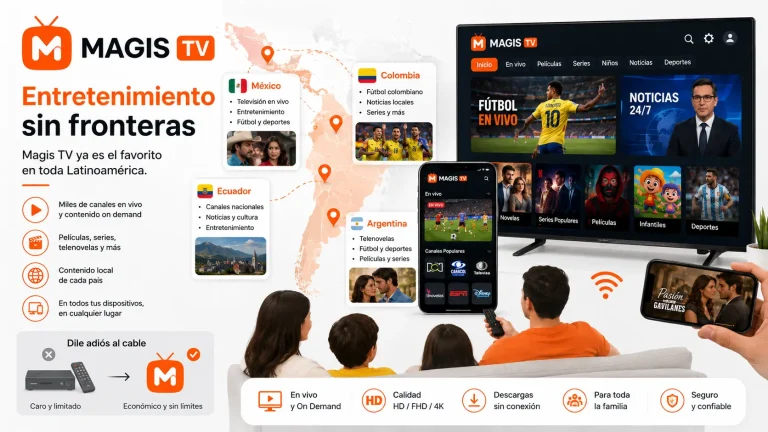
Magis TV for Fire Stick refers to the possibility of using the Magis TV application on an Amazon Fire TV Stick device. Fire Stick connects to your television through an HDMI port and provides access to streaming applications and other entertainment services.
Magis TV is commonly discussed as an Android APK application. Some Fire TV Stick models may support compatible Android applications, but Magis TV compatibility has not been independently verified.
Here are some important things to understand:
Key Features of Magis TV for Fire Stick
Magis TV for Fire Stick is often discussed by users who want to explore entertainment content on a television screen. When a compatible application works on a Fire TV Stick, the viewing experience may depend on the app version, device model, and internet connection.
Large Screen Entertainment
A television screen provides a larger viewing area than a smartphone, making video content easier to watch.
Remote Control Navigation
Fire TV Stick users can navigate supported applications using the included remote control.
Multiple Entertainment Categories
Some versions are advertised with different categories, including movies, TV channels, and series.
Simple Navigation
A compatible application may provide menus and browsing options for exploring available content.
Internet-Based Streaming
Online video playback generally requires a stable internet connection.
Fire TV Experience
Fire Stick connects to your television through HDMI and provides access to supported entertainment applications.
Requirements for Magis TV on Fire Stick
Before trying to use Magis TV on your Amazon Fire TV Stick, check whether your device meets the general requirements for running compatible Android applications.
| Requirements | Details |
| Device | Amazon Fire TV Stick |
| Operating System | Compatible Fire OS version |
| Internet Connection | Stable Wi-Fi connection |
| Storage | Sufficient free device storage |
| Display | Compatible HDMI television |
| Remote | Amazon Fire TV Remote |
| Application Format | APK, if compatible |
| Installation Source | Trusted and verified source |
Important Things to Check
- Make sure your Fire Stick is connected to the internet.
- Check your device model and Fire OS version.
- Keep your Fire Stick software updated.
- Make sure sufficient storage space is available.
- Verify that the application supports your device.
- Avoid downloading APK files from suspicious websites.
How to Download Magis TV for Fire Stick
If you want to explore Magis TV on your Amazon Fire TV Stick, first check whether a compatible version is available for your device. Magis TV is commonly discussed as an Android APK, so it may require a compatible installation method.
Follow these general guidelines:
Important: An official Magis TV listing for Fire Stick has not been independently verified. Avoid websites offering modified APKs or asking you to disable device security protections.
How to Install Magis TV on Fire Stick
If you have found a compatible and verified application, you should first check the installation options available on your Fire TV Stick. Follow these general instructions:
Important: Magis TV compatibility with Fire Stick has not been independently verified. Do not disable security protections or install unknown files just to make an application work.
How to Set Up Magis TV on Fire Stick
After installing a compatible application, you may need to complete a few basic setup checks before using it on your television.
- Open the Application: Find the installed application in your Fire Stick’s app library.
- Check the Interface: Explore the available menus and navigation options.
- Use the Fire TV Remote: Navigate through supported options using your remote control.
- Check Internet Access: Make sure your Fire Stick has a stable Wi-Fi connection.
- Adjust Display Settings: Set your television resolution according to your device and TV capabilities.
- Review App Permissions: Allow only permissions that are necessary for the application’s functions.
- Test Playback: If the application supports playback, check whether the available content works properly.
Note: These are general setup suggestions. The actual Magis TV interface, features, and playback compatibility on Fire Stick have not been independently verified.
Is Magis TV Safe to Use on Fire Stick?
Before installing Magis TV on your Amazon Fire TV Stick, it is important to understand the possible security and privacy risks associated with third-party APK applications. Always check the source and compatibility of an application before installing it.
Here are some important safety tips:
- Use Trusted Sources: Avoid downloading APK files from unknown websites.
- Check Application Permissions: Review the permissions requested by the application before allowing access.
- Scan Downloaded Files: Use reliable security tools whenever possible to check downloaded files.
- Protect Personal Information: Do not share passwords, payment information, or other sensitive details with unverified applications.
- Keep Fire OS Updated: Install official software updates to maintain device security.
- Avoid Modified APKs: Modified applications may contain unwanted or harmful software.
- Check Content Licensing: Make sure the channels, movies, and other content you access are legally authorized in your region.
Safety Note: Magis TV’s official Fire Stick availability and security status have not been independently verified. Installing an APK does not automatically make it safe or legally authorized.
Magis TV for Fire Stick vs Android TV
Both Amazon Fire Stick and Android TV provide ways to access entertainment applications on a television. However, they differ in their operating systems, installation options, and device features.
| Features | Fire Stick | Android TV |
| Operating System | Fire OS | Android TV / Google TV |
| App Store | Amazon Appstore | Google Play Store |
| Remote Control | Fire TV Remote | Android TV Remote |
| APK Support | Depends on compatibility | Depends on compatibility |
| Internet | Wi-Fi or supported network | Wi-Fi or supported network |
| Installation | Fire OS supported methods | Android TV supported methods |
| Device Type | Streaming device | Smart TV or streaming box |
| Magis TV Support | Not independently verified | Not independently verified |
Which One Should You Choose?
Fire Stick is a useful option for adding streaming features to a compatible television. Android TV offers an Android-based television environment with access to supported apps through Google Play Store.
Your choice depends on your television, preferred operating system, and application requirements. Always check app compatibility before installing third-party software.
Final Words
Magis TV for Fire Stick is a topic of interest for users who want to explore entertainment applications on a larger television screen. Since Magis TV is commonly discussed as an Android APK, its installation and functionality may depend on the Fire Stick model, Fire OS version, and application compatibility.
In this guide, we have covered the general download process, installation instructions, setup requirements, features, and common troubleshooting tips. Before installing any third-party application, always verify its source, check security permissions, and make sure it is compatible with your device.
Remember that official Magis TV availability and compatibility with Fire Stick have not been independently verified. Also, ensure that any content you access is legally authorized in your region. Choosing trusted applications and secure streaming services can help provide a better entertainment experience.